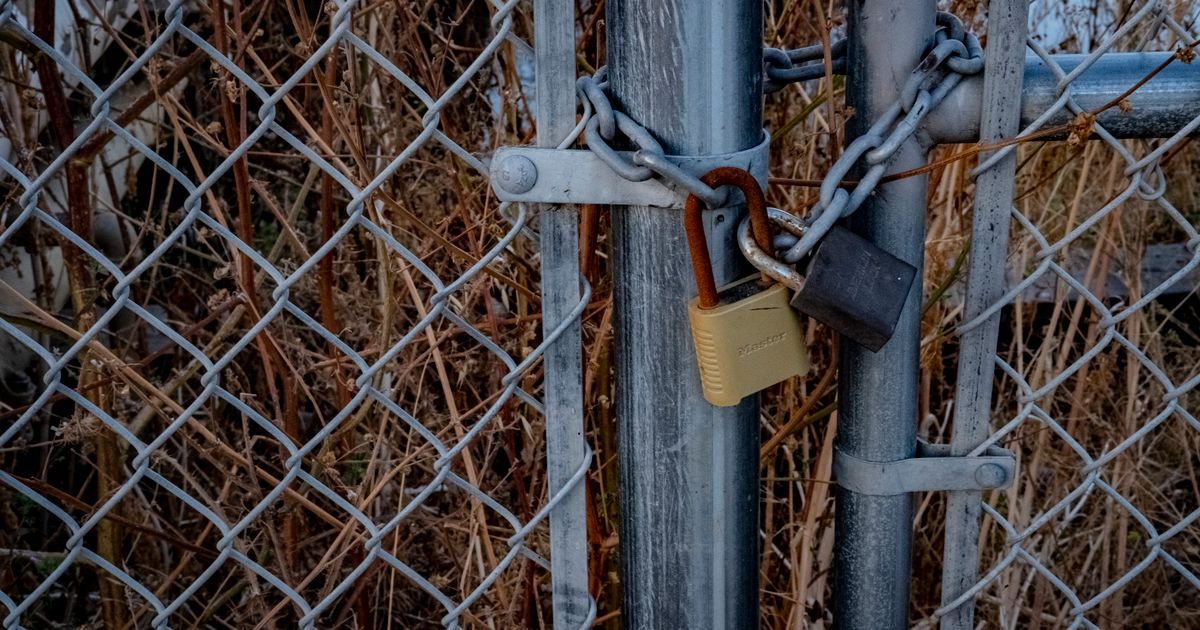
Web security is the set of practices, protocols, and tools that protect a website — and its visitors' data — from attacks, data theft, and unauthorized access. If you run an online business, this is not optional: a security breach can cost you customers, money, and your reputation.
This article walks through the fundamental concepts every website owner needs to understand, without unnecessary jargon.
Why Does Web Security Matter?
Millions of attack attempts are logged every day against websites around the world. Small and medium-sized businesses are not exempt — in fact, they are frequent targets precisely because they tend to invest less in protection.
The consequences of ignoring web security include:
- Customer data theft (credit cards, emails, passwords).
- Site downtime caused by denial-of-service (DDoS) attacks.
- Search engine penalties: Google flags compromised sites as dangerous.
- Reputation damage and loss of user trust.
- Legal liability if you handle personal data under regulations like GDPR or equivalent local laws.
Investing in web security is not an expense — it is protecting the central digital asset of your business.
Key Concepts You Need to Know
Before talking about solutions, it helps to be clear on the terms that come up again and again in this space.
HTTPS and the SSL/TLS Protocol
When you see the padlock icon in the browser and the URL starts with https://, it means the communication between the user and the server is encrypted. This is made possible by an SSL/TLS certificate. Without one, any data a user sends — forms, passwords, payments — can be intercepted in transit.
If your site still runs on http://, enabling HTTPS is the very first security step. Modern browsers already display "Not Secure" warnings that drive visitors away.
Web Application Firewall (WAF)
A WAF acts as a filter between internet traffic and your server. It analyzes each incoming request and automatically blocks malicious patterns: SQL injection attempts, cross-site scripting (XSS) attacks, bots, and more. Many hosting providers offer this as an additional defense layer.
Updates and Patches
The majority of compromised websites are attacked through known vulnerabilities that already had a patch available. Keeping your CMS (WordPress, Joomla, etc.), its plugins, and themes up to date is one of the most effective — and most neglected — security measures.
Password Management and Authentication
Weak and reused passwords are the most exploited entry point. Using unique, strong passwords and enabling two-factor authentication (2FA) on your admin panel dramatically reduces the risk of unauthorized access.
Backups
Backups do not prevent an attack, but they do allow you to recover from one. A solid backup strategy includes daily automated copies stored off the primary server, with periodic verification that restoration actually works.
The Most Common Threats Your Website Faces
Knowing your adversary is part of the defense. Here are the most frequent threats:
| Threat | What It Does | How to Defend |
|---|---|---|
| SQL Injection | Manipulates database queries to steal or delete data | Parameterized queries, WAF |
| XSS (Cross-Site Scripting) | Injects malicious code into pages viewed by other users | Input validation, CSP headers |
| Malware / Backdoors | Hides code to steal data or take control of the site | Periodic scanning, updates, correct file permissions |
| Brute Force | Tries thousands of combinations to guess passwords | 2FA, login attempt limits |
| DDoS | Floods the server with fake traffic until it goes down | CDN with DDoS mitigation (e.g., Cloudflare) |
| Phishing | Impersonates your site to steal user credentials | HTTPS, brand monitoring, DMARC on email |
The Layers of a Web Security Strategy
Web security is not solved by a single tool. It is built in layers, where each level covers the blind spots of the one before it.
Network Layer
Network firewalls, DDoS mitigation, and malicious IP blocklists. Typically managed by your hosting provider or CDN.
Server Layer
Correct configuration of the operating system and web server (Apache, Nginx), system software updates, and restrictive file permissions. A good managed hosting provider handles this for you.
Application Layer
This is where the WAF, data validation in code, secure session handling, and robust authentication come in. It is the layer most dependent on decisions made by the developer and site owner.
Human Layer
The most underestimated layer. Phishing, social engineering, and weak passwords target people, not code. Basic team training and use of a password manager can prevent most incidents.
To explore more resources on this topic, visit our SSL and web security section.
How Vulnerable Is Your Site Right Now?
A practical way to start is a basic diagnostic. Check these points:
- Does your site use
https://on every page? - Is your CMS and all plugins updated to the latest stable version?
- Do you use a unique, strong password for the admin panel?
- Is 2FA enabled on your hosting panel and CMS?
- Does your hosting provider run daily automatic backups?
- Do you have a WAF or security monitoring service in place?
If you answered "no" to three or more points, your site has active vulnerabilities worth addressing soon.
Key Takeaways
- Web security protects your site, your customers' data, and your business reputation.
- HTTPS (SSL/TLS certificate) is the non-negotiable minimum starting point.
- The most common threats — SQL injection, XSS, brute force — have known, accessible defenses.
- Security is built in layers: network, server, application, and people.
- Keeping software updated and using strong authentication prevents most incidents.
- Backups do not prevent attacks, but they guarantee recovery.
Ready to protect your digital presence from the ground up? The team at elenlace.com can help you choose hosting with the right security layers and implement the measures your business needs — reach out today.
FAQ
Is web security only for large sites or ecommerce stores?
No. Any website is a potential target, even a blog or a services page. Automated attackers do not distinguish by size — they simply scan for vulnerabilities. Your company's size does not determine the risk; it does determine the impact when something goes wrong.
Is installing an SSL certificate enough?
SSL is essential, but it is only the first layer. It does not protect against malware injected into your CMS, weak passwords, or outdated plugins. A complete strategy combines HTTPS, updates, strong authentication, a WAF, and backups.
How often should I review my site's security?
Software updates should be applied as soon as they are available (or at least weekly). A deeper review — malware scanning, permission checks, backup restoration tests — is worth doing monthly. Many managed hosting services automate a large part of this.
What do I do if my site has already been compromised?
First, put it into maintenance mode to prevent visitors from being affected. Then contact your hosting provider — many have incident response protocols. Restore from your last clean backup, identify the vulnerability that was exploited, close it, and only then bring the site back online.
Prefer it done for you? El Enlace handles hosting and professional web development.
Useful resources
Other providers and guides worth comparing: