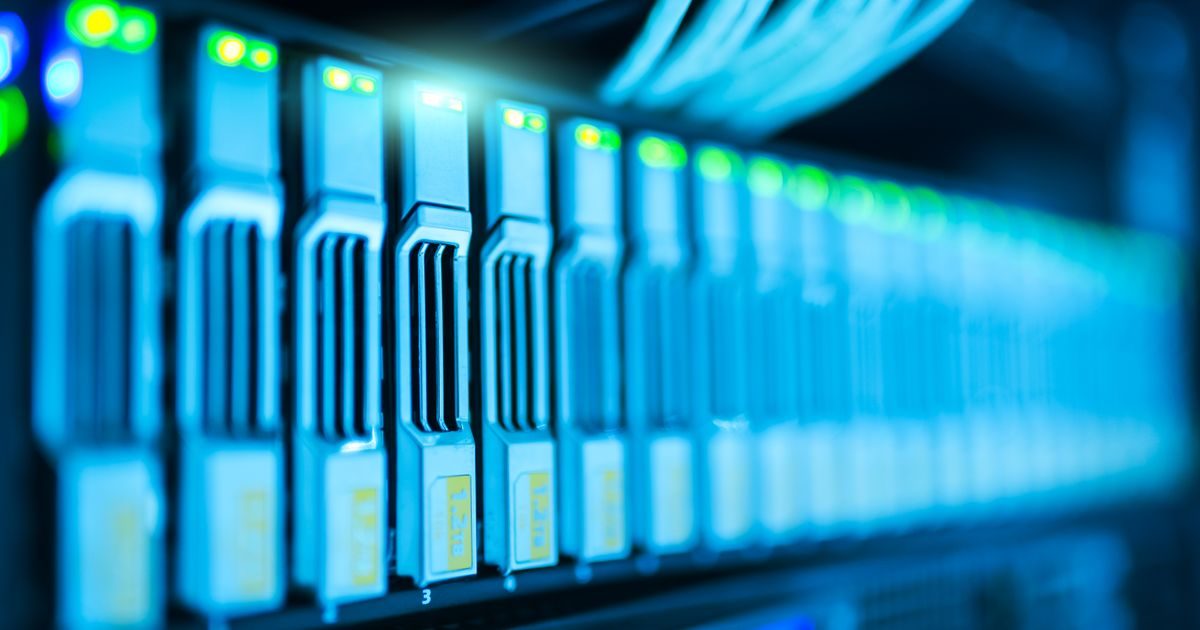
A data center is a physical facility that concentrates servers, networking equipment, and storage systems to process, store, and distribute information around the clock. From email to banking apps, virtually every digital service depends on a data center running 24 hours a day, 365 days a year.
If you're curious about what they look like inside, what makes them reliable, and what types exist, here are the clear answers you need.
What Is a Data Center?
A data center is far more than a room full of computers. It is an infrastructure designed and operated to ensure that servers never go down. That means temperature control, redundant power supply, physical security, and high-speed network connections—all in one place.
The data generated by businesses and end users lives in these facilities, whether in the form of files, databases, images, or video. Without data centers, the internet simply would not exist.
Essential Components of a Data Center
1. Servers and Racks
Servers are the heart of a data center. They are mounted in standardized metal racks (typically 42U tall) that allow dozens of units to be organized and stacked in a small footprint.
2. Network and Connectivity
Switches, routers, and firewalls connect servers to each other and to the broader internet. An enterprise data center has network redundancy: if one link fails, traffic is automatically rerouted via another path.
3. Electrical System
- UPS (Uninterruptible Power Supply): batteries that maintain power during brief outages.
- Diesel generators: take over if the outage is prolonged.
- PDUs (Power Distribution Units): distribute power in a controlled manner to each rack.
4. Cooling System
Servers generate constant heat. Data centers use precision air conditioning units (CRAC/CRAH), hot/cold aisle containment, and—in modern facilities—liquid cooling to keep temperatures between 64°F and 80°F (18–27°C).
5. Physical Security
Biometric access, surveillance cameras, security guards, and individual cages for colocation customers are standard measures. Only authorized personnel may enter the server room.
How a Data Center Works
The basic operational flow is straightforward:
- A user sends a request (loading a web page, sending an email).
- The request travels over the internet to the nearest or designated data center.
- Servers process the request: they retrieve data from disk, execute code, and generate a response.
- The response returns to the user in milliseconds.
All of this happens continuously, backed by the electrical and cooling systems described above. Operations teams monitor the data center in real time to detect any anomaly before it becomes a problem.
To understand how cloud services use this infrastructure, explore our cloud computing articles.
Main Types of Data Centers
| Type | Who Operates It? | Typical Use Case |
|---|---|---|
| Enterprise (corporate) | The company itself | Banks, hospitals, governments |
| Colocation | DC provider; client owns hardware | Mid-sized companies wanting physical control without building |
| Cloud (hyperscale) | AWS, Azure, Google Cloud | Startups, SaaS, companies preferring opex over capex |
| Edge | Carriers, ISPs | Streaming, IoT, low latency in remote areas |
Enterprise Data Center
The company builds and operates its own data center. This offers maximum control but requires a very high upfront investment in infrastructure, specialized staff, and ongoing maintenance.
Colocation
The company brings its own hardware to a colocation provider's facility. The provider supplies the space, power, network, and physical security; the customer manages its servers remotely.
Cloud (Hyperscale) Data Center
AWS, Google, and Microsoft operate facilities with tens or hundreds of thousands of servers. Customers consume capacity on demand without touching any hardware. This model has democratized access to enterprise-grade infrastructure. If you need guidance choosing the right provider, the team at elenlace.com can help you evaluate options for your use case.
Edge Data Center
Small facilities located close to the end user—in secondary cities, carrier points of presence—to reduce latency for real-time applications such as live video or industrial IoT.
Availability Tiers
The Uptime Institute defines four tiers:
- Tier I: 99.671% availability (~28 hours of downtime per year).
- Tier II: 99.741% (~22 hours). Partial component redundancy.
- Tier III: 99.982% (~1.6 hours). Fully redundant; maintenance without downtime.
- Tier IV: 99.995% (~26 minutes). Tolerant of any single failure.
For critical applications, cloud providers typically offer SLAs equivalent to Tier III or above, thanks to geographic distribution across multiple data centers.
Key Takeaways
- A data center is the physical infrastructure that underpins the internet and business applications.
- Its essential components are servers, networking, redundant power, and cooling.
- There are four main types: enterprise, colocation, cloud/hyperscale, and edge.
- The Uptime Institute Tier levels measure guaranteed availability.
- The cloud model provides access to data center infrastructure without hardware investment.
Are you evaluating whether to migrate your infrastructure to the cloud or contract colocation services? Talk to the specialists at elenlace.com and we'll help you make the right decision for your business.
FAQ
What is the difference between a data center and a cloud server?
The data center is the physical facility with all the hardware. A cloud server is a virtual resource that lives inside that data center. When you buy cloud hosting, you access the provider's data center capacity without ever seeing or touching physical equipment.
How secure are data centers?
Professional enterprise and colocation data centers are highly secure: biometric access, 24/7 surveillance, fire and flood protection, and multiple layers of logical security. Physical security is typically superior to any server room a mid-sized company could build on its own.
What does PUE mean in a data center?
PUE (Power Usage Effectiveness) measures energy efficiency: it divides total data center power consumption by server power consumption. A PUE of 1.0 is perfect (all energy goes to computing); values below 1.4 are considered efficient. Large cloud providers like Google report PUEs close to 1.1.
Does my company need its own data center?
Most mid-sized companies do not need to build their own data center. Colocation or cloud options provide enterprise infrastructure without the cost and complexity of managing a physical facility. Building your own only makes sense when there are very specific data sovereignty or ultra-low-latency requirements at massive scale.
Useful resources
Other providers and guides worth comparing:


