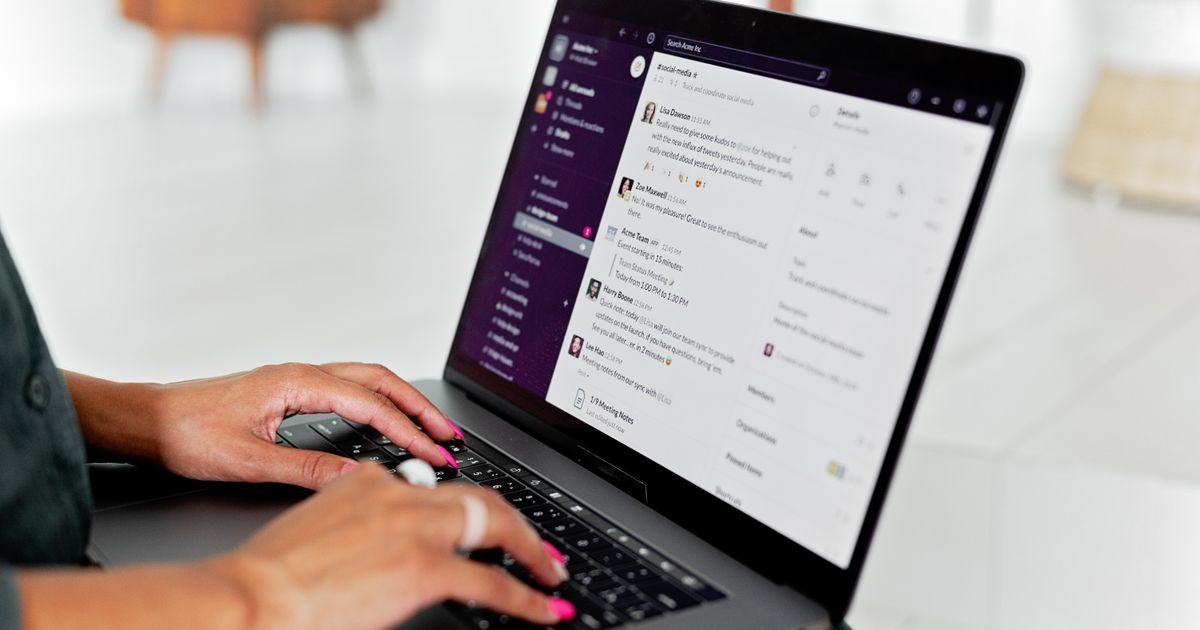
Webmail is an email interface that runs entirely in your web browser — no software installation required. You navigate to a URL, enter your credentials, and you can read, compose, and manage messages from any internet-connected device.
If you've ever logged into Gmail or Outlook.com from a hotel lobby computer, you've already used webmail. This article explains how it works under the hood, how it compares to a desktop email client, and when it's the smarter choice.
What Exactly Is Webmail?
Webmail refers to any email client delivered as a web application. Instead of living on your local machine — like Outlook or Thunderbird — the interface lives on a remote server and is served to your browser as dynamic HTML pages.
There are two main categories:
- Free provider webmail: Gmail, Yahoo! Mail, Outlook.com. The provider hosts both the messages and the interface.
- Hosting-bundled webmail: Roundcube, Horde, SquirrelMail. Your hosting provider installs these so you can access accounts on your own domain (e.g.,
[email protected]) without configuring a desktop client.
The second category matters most for businesses and professionals who have professional email on their own domain.
How Webmail Works Under the Hood
When you open your hosting's webmail URL (e.g., https://webmail.yourdomain.com) and authenticate, here's what happens:
- The web server delivers the interface (HTML, CSS, JavaScript) to your browser.
- JavaScript in the browser makes requests to the webmail server.
- The webmail server communicates with the mail server using IMAP internally to read messages and SMTP to send them.
- Results appear in real time inside your browser window.
From your perspective it feels like a regular application. Behind the scenes, though, your browser never speaks directly to the mail protocols — the webmail server does that work for it.
Do messages download to my computer?
No. Messages stay on the server. The browser only renders the content; it doesn't save it locally unless you explicitly download an attachment. This means you need an internet connection to access your mail, but it also means your inbox is always available from any device.
Webmail vs. Desktop Email Client: Key Differences
| Feature | Webmail | Desktop client (Outlook, Thunderbird) |
|---|---|---|
| Installation required | No | Yes |
| Access from any device | Yes (just a browser) | Only from the configured device |
| Offline availability | No (requires connection) | Yes (for previously downloaded messages) |
| OS calendar/contacts integration | Limited | Deep |
| Advanced features (rules, rich signatures) | Basic to intermediate | Full-featured |
| Learning curve | Minimal | Moderate (IMAP/SMTP setup) |
When Should You Use Webmail?
Webmail shines in specific scenarios. It's not inferior to a desktop client — it's a different tool with its own ideal use cases.
Accessing email from a device that isn't yours
You're at a client's office, a conference room, or a hotel business center. You can't — and shouldn't — configure your email account on that machine. Webmail gives you full access without storing credentials on a stranger's device (as long as you don't click "remember me").
Initial setup and verification of a new account
You just created an email account on your hosting plan and haven't configured a desktop client yet. Webmail lets you verify the account works and send a test message in seconds.
Managing multiple accounts on the same domain
If you oversee several email accounts for a small team, hosting webmail lets you switch between them easily, without juggling separate Outlook or Thunderbird profiles.
Occasional remote work
For people who check their work email a few times a day outside their usual environment, webmail is perfectly sufficient without the complexity of setting up remote access or synchronization.
Security When Using Webmail
Using webmail on shared devices carries risks worth managing:
- Always log out when you're done, especially on devices you don't own.
- Verify the URL starts with https:// to confirm the connection is encrypted.
- Never check "remember password" on a browser you don't control.
- Enable two-factor authentication if your hosting provider supports it.
- Be cautious with attachments — in webmail it's easy to click without thinking.
For a more robust daily setup, the best practice is to combine webmail for emergency access with a well-configured desktop or mobile client for day-to-day use. The team at elenlace.com helps businesses implement exactly that combination, with professional email on their own domain.
Roundcube: The Most Popular Webmail in Shared Hosting
Roundcube is the webmail interface bundled with most shared hosting plans. It's open-source, has a clean interface, and supports IMAP folders, advanced search, an address book, and basic filters.
Other common options in cPanel hosting include Horde (with an integrated calendar) and SquirrelMail (lighter, for resource-constrained servers). Roundcube dominates, though, for its balance of functionality and ease of use.
Key Takeaways
- Webmail is an email client that runs in the browser — no installation needed.
- Under the hood, it uses IMAP to read and SMTP to send; your browser never talks to those protocols directly.
- Messages stay on the server: accessible from any device, but you need internet.
- It's ideal for accessing email on unfamiliar devices, verifying new accounts, and occasional out-of-office use.
- Pair it with a desktop client for daily workflows and you get the best of both worlds.
- Always log out on shared devices and verify the URL uses HTTPS.
Ready to set up professional email with your domain and built-in webmail access? Explore business email plans at elenlace.com and start projecting the image your business deserves.
FAQ
Do I need to pay extra for webmail access on my hosting plan?
No. Webmail is a standard feature included in virtually all shared hosting plans. You just need the access URL (usually webmail.yourdomain.com) and your email account credentials.
Does webmail sync with my phone or Outlook?
Yes. Messages you read or send through webmail stay on the server and are visible in any other client — including your phone or Outlook — because they all access the same IMAP mailbox. Actions like reading, deleting, or moving messages to folders sync automatically.
Can I use webmail if I don't have my own hosting?
If you use Gmail, Yahoo Mail, or Outlook.com, you're already using webmail — you're accessing the provider's mailbox from your browser. If you have a corporate email address on your own domain, you need the webmail interface your hosting provider supplies.
Is webmail secure enough for work email?
Yes, provided you access it over HTTPS, on a trusted device, and log out when done. For intensive daily use, a desktop client with IMAP offers better performance and more features, but webmail is perfectly secure for occasional checks or use from non-usual devices.
Useful resources
Other providers and guides worth comparing:

