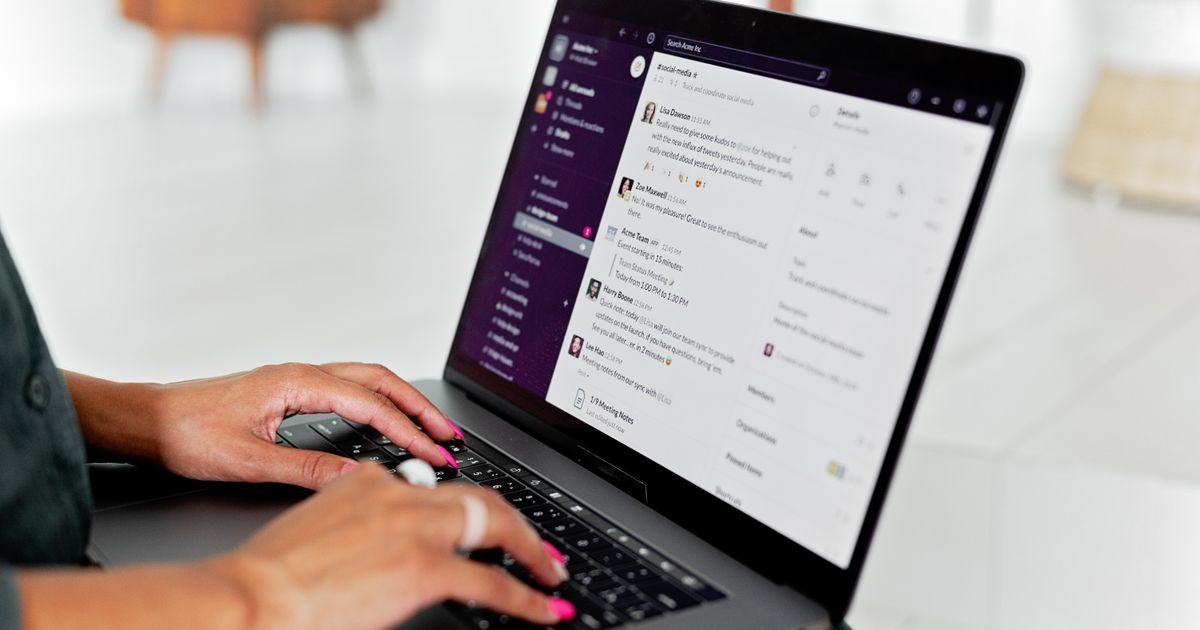
Cloud email is an email service hosted on remote servers managed by an external provider, accessible from any browser or internet-connected device. You don't need to maintain any server of your own: the provider handles infrastructure, updates, security, and backups.
Here's exactly how it works, what concrete benefits it brings to businesses of all sizes, and what to consider before making the switch.
What Makes Cloud Email Different from Traditional Email
The traditional model of business email required installing and maintaining an in-house mail server, or renting space on a shared hosting server. Cloud email changes that fundamentally:
- No own server. Mailboxes, antispam rules, backups, and replication all run on the provider's infrastructure.
- Access from anywhere. An employee can check their corporate email from the office, from home, or from a café abroad — with the same experience.
- Automatic updates. The provider applies security patches and new features without any intervention on your part.
- Pay-as-you-go. You pay only for the active mailboxes you need, with no upfront hardware investment.
How It Works Under the Hood
Although cloud email looks like magic from the user's perspective, it runs on the same protocols that have always powered email:
Message routing
When someone sends an email to your corporate address, your domain's DNS server signals (via MX records) that messages should be delivered to the provider's cloud servers. Those servers receive the message, filter spam, and deposit it in your mailbox.
Real-time synchronization
Cloud providers use IMAP — or their own proprietary sync protocols — so that any action you take on one device (reading, archiving, deleting) is immediately reflected on all others.
Redundancy and high availability
Major providers replicate data across multiple geographically distributed data centers. If one center fails, another takes over seamlessly — the user notices nothing.
Concrete Benefits for Your Business
These advantages aren't abstract: they translate into saved time, reduced costs, and fewer headaches for the IT team — or for the business owner who doubles as IT in a small company.
Lower operating costs
Running your own mail server involves hardware, software licenses, electricity, cooling, administration, and replacements every 3–5 years. Cloud email converts that capital expenditure into a predictable monthly operational cost that is generally much lower.
Managed security
Serious providers invest in security at a scale no small business can match: encryption in transit and at rest, two-factor authentication, phishing detection, real-time antimalware filters. You benefit from that investment without bearing it alone.
Full team mobility
With cloud email, a salesperson in Monterrey, a designer in Mexico City, and an accountant in Mérida all access the same system with the same rules, the same shared contacts, and the same conversation history.
Instant scalability
Hiring five people this week? Add five mailboxes in minutes from the admin panel. No server licenses to buy, no hardware to configure, no days of waiting.
Disaster continuity
If your office floods, the server burns, or the power goes out, email keeps working. Your messages are in the cloud, accessible as soon as anyone opens their phone.
Leading Cloud Email Providers for Businesses
| Provider | Storage per user | Includes | Approx. price (MXN/user/mo) |
|---|---|---|---|
| Google Workspace | 30 GB – unlimited | Meet, Drive, Docs, Calendar | $170 – $500 |
| Microsoft 365 | 50 GB – 100 GB | Teams, OneDrive, Office Apps | $180 – $550 |
| Zoho Mail | 5 GB – 50 GB | Basic CRM, calendars | $50 – $200 |
| Hosting with cloud email | 5 GB – 25 GB | Webmail, antispam, custom domain | $80 – $250 (full plan) |
For small teams or businesses that only need professional email without a full collaboration suite, a hosting plan with cloud email is the most cost-effective option and more than enough. Explore more options in our business email section.
Is Cloud Email Secure?
It's a fair question. The short answer: yes, more secure than a poorly managed in-house server. The longer answer:
- TLS encryption in transit: messages travel encrypted between servers.
- Encryption at rest: data stored in the provider's data centers is encrypted.
- Multi-factor authentication (MFA): you can require a second factor for all users on your domain.
- Audit logs: enterprise providers keep access and activity records.
The biggest vulnerability in cloud email isn't technical — it's human: weak passwords and no MFA. Always enable two-factor authentication.
If you're looking for a trusted partner to migrate your company's email to the cloud, the team at elenlace.com can guide you through the selection and setup process without the headaches.
Key takeaways
- Cloud email hosts your mailboxes on the provider's remote servers — no in-house infrastructure needed.
- It runs on the same protocols as always (SMTP, IMAP, MX), but with redundancy, scalability, and automatic updates managed by the provider.
- The main benefits are lower operating costs, managed security, full team mobility, and instant scalability.
- For small businesses, a hosting plan with cloud email is usually sufficient and far more affordable than Google Workspace or Microsoft 365.
- Security is solid at reputable providers; the weakest link is usually human (passwords and MFA).
Make the move to professional cloud email and stop worrying about managing servers. Visit elenlace.com to explore our plans and get personalized advice with no commitment.
FAQ
Do I need technical knowledge to use cloud email?
No. Day-to-day administration — creating users, resetting passwords, reviewing spam — is done through intuitive web panels without touching any server. The initial setup (pointing DNS records) may require help from your provider or web agency and typically takes less than an hour.
What happens to my emails if I switch providers?
Messages can be migrated. Serious providers offer migration tools or services that transfer your emails, folders, and contacts to the new system without data loss. It's best to migrate on a weekend or during low-activity hours.
Does cloud email work without internet?
Many email clients (Outlook, Gmail on Android/iOS) cache messages locally, letting you read already-downloaded emails offline. However, sending or receiving new messages requires connectivity. This is a real limitation in areas with unreliable internet.
Can I use my existing domain with a cloud email service?
Yes, always. Cloud email is independent of where your website is hosted. You simply update your domain's MX records to point to the new provider. Your website is not affected by that change.
Further reading
Other providers and guides worth comparing:

